Digitize your files with ease

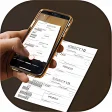
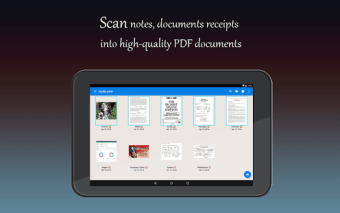
Fast Scanner - PDF Scan App, or simply Fast Scanner, is a free document management tool that lets you turn your device into a portable scanner. It's the ideal app for digitizing various documents such as receipts, notes, invoices, business cards, and even multiple pages books.

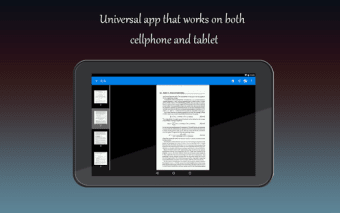
It uses your device's camera to scan the documents, so make sure that your gadget has that and that you've granted the app permission to access it. Additionally, Fast Scanner is lightweight so it doesn't take up much space in your storage, and is optimized so you can use it efficiently.

A scanner with convenient tools

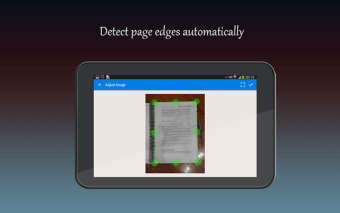
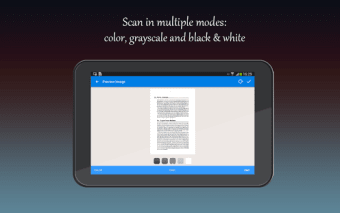
To digitize your physical documents using Fast Scanner, simply tap on the camera icon at the bottom right of the screen. The app has the option to do a single scan or batch scan and enable the flash for a clearer result. You can also choose between document or ID card digitization. The latter option provides you with two scan processes to get the front and back of your ID.

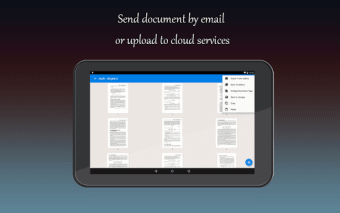
You can export your scanned files as either a PDF document or an image file via email, message, or Bluetooth. The app also gives you the option to save it in your device's storage or Google Drive. Aside from these functions, this scanner has the convenient option of adding new pages or deleting existing ones within the PDF file and editing them without leaving the app.

Free utility apps like this one run ads so that developers can continue maintaining and improving them. However, the ads in this tool can interrupt the scanning process as they pop up in the middle of your work. This can be an annoying occurrence, especially if you're digitizing a lot of documents. The only solution to removing the ads is by upgrading the app to its pro version.

Scan documents on the go

Although the insistent ads can be annoying, Fast Scanner still enables you to turn any camera-equipped device into a portable scanner. It also allows you to safely store your scans in your device's storage or Google Drive and send it through various channels. The app even has an editing function as well as an add or delete page feature to conveniently modify your documents within the app.

  • Pros

    • Lightweight and optimized for fast usage
    • Offers a variety of scanning options
    • Enables you to save locally and in cloud storage
    • Allows in-app editing of documents
  • Cons

    • Insistent ads interrupt the scanning process
 0/5

App specs

  • License

    Free

  • Version

    4.7.3
  • Latest update

  • Platform

    Android

  • OS

    Android 13.0

  • Language

    English

    Available languages

    • English
    • Italian
    • Spanish
    • Russian
    • Portuguese
    • French
    • German
    • Japanese
    • Korean
    • Portuguese
  • Downloads

    22.5K

    Last month's downloads

    • 126
  • Size

    68.81 MB

  • Developer

  • Download Options

    APK, Google Play

  • Filename

    com.coolmobilesolution.fastscannerfree_4.7.3.xapk

Program available in other languages


User reviews about Fast Scanner : Free PDF Scan

Have you tried Fast Scanner : Free PDF Scan? Be the first to leave your opinion!

Add review

You may also like

Alternatives to Fast Scanner : Free PDF Scan

Explore Apps

Latest articles

Laws concerning the use of this software vary from country to country. We do not encourage or condone the use of this program if it is in violation of these laws.
Softonic

Is Fast Scanner : Free PDF Scan safe?

100/100

Score result: Clean

This file passed a comprehensive security scan using VirusTotal technology. It is safe to download.

  • Virus free
  • Spyware free
  • Malware free
  • Verified by Security Partners

    VirusTotal logo

Scan Info

Last scan
Wednesday, November 19, 2025
Scan provider
VirusTotal · Full report

File Integrity

File
com.coolmobilesolution.fastscannerfree_4.7.3.xapk
SHA256
7b4cd3c279e75119131f4fdf57a4b61f8ff801882dc7c34c2d2ab7db9aebbcf8
SHA1
bded481c169451f32942c58658ea4447dc6281dd

Softonic security commitment

Fast Scanner : Free PDF Scan has been thoroughly scanned by our advanced security systems and verified by industry-leading partners. This file comes from the official developer and has passed all our security checks, showing no signs of viruses, malware, or spyware. For more information, visit our Security and Trust Center

Softonic

What is a Validated Developer?

Validated Dev

This badge indicates that Softonic has received authorization to offer the software from the developer or a designated representative, through the Softonic Publisher Center or other agreements. Content, ownership and compliance are responsibility of the developer.

More details in terms and conditions.

Are you a developer?

Join the Softonic Publishing Center and reach millions of users.

Not a developer?